Best Powerful Tools To Customize Your Windows xp,vista,7,8,10

Windows is the most popular operating system as compared to other os in the market. Windows provides users far more features like android mobile phones.windows also has some nice software like android phones that you can use to customize your device.if you are one of those who love customizing devices then this article is for you.i will share you some of my best and most popular softwares to customize windows operating system.
Best Powerful Tools To Customize Your Windows 10
before we jump into the list of top powerful tools to customize windows 10 I want to let you know that this software also works on windows vista,XP,7, and 8.but they look more cool on windows 10
1. WinAero Tweaker
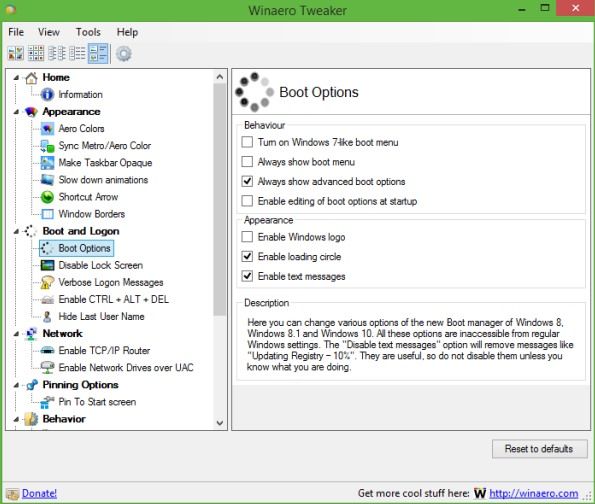
This is one of the best tools to customize Windows 10 user experience and also this is a freeware tool that works perfectly with Windows 10. Winaero Tweaker is a portable application and does not require to be installed. This is a universal tweaker software that supports Windows 7, Windows 8, Windows 8.1 and Windows 10. You will find lots of options and tweaks that just keep on varying according to versions of Windows you are running on.
2. Ultimate Windows Tweaker 4
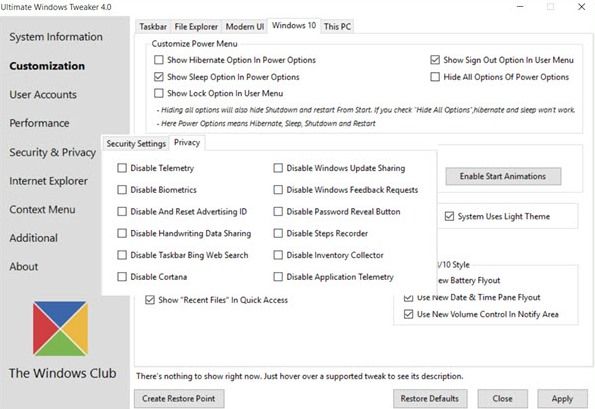
This tool is better than all other and works exactly the same as its name indicates that it’s an ultimate tool that allows users to make lots of changes in Windows 10 according to wish. While you may be able to access all these via the Windows 10 Settings app, the Registry Editor or the Group Policy Editor, Ultimate Windows Tweaker makes things easier for you by offering all useful tweaks from its single UI.
3. Launchy
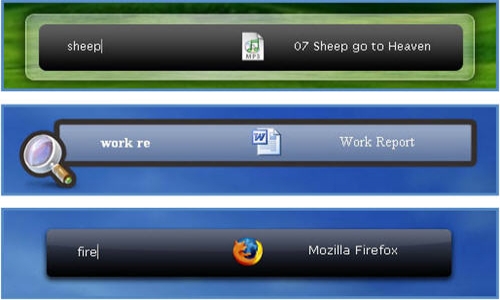
Launchy is a free cross-platform utility designed to help you forget about your start menu, the icons on your desktop, and even your file manager. Launchy indexes the programs in your start menu and can launch your documents, project files, folders, and bookmarks with just a few keystrokes. Pressing ALT + SPACE will immediately trigger launchy, where you can type the name of any program or folder.
4. Windows 10 Color Control
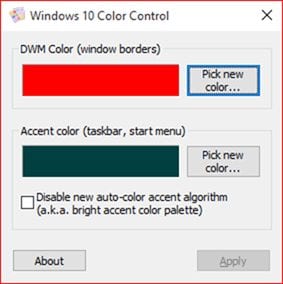
Windows 10 Color Control is another best Windows tool which allows users to set different colors for the taskbar as well as window borders. Normally, on Windows 10, you can’t set a different color for the taskbar, however, the Windows 10 Color control brings colors to your taskbar. So, it’s another best powerful tool that you can use to customize your Windows 10.
5. Okozo Desktop
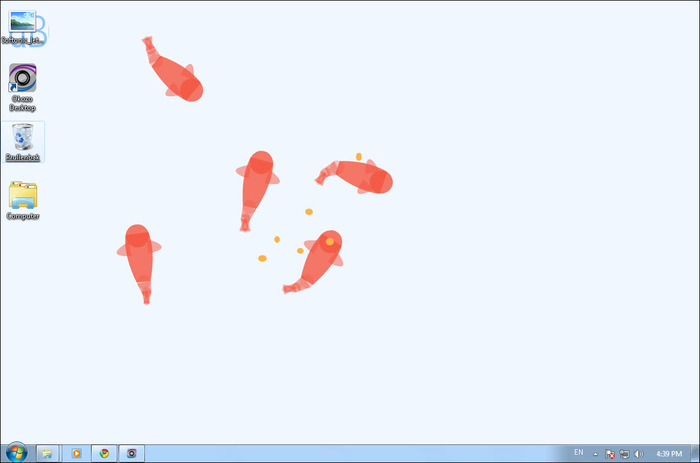
Okozo is a website that lets you download the bunch of live wallpapers. The wallpapers are beautiful and can help you customize your Windows. You can download live wallpapers that show time or can play music or can do various other tasks. You can download its client for Windows and can get newly added wallpapers from the software itself.
6. Rainmeter
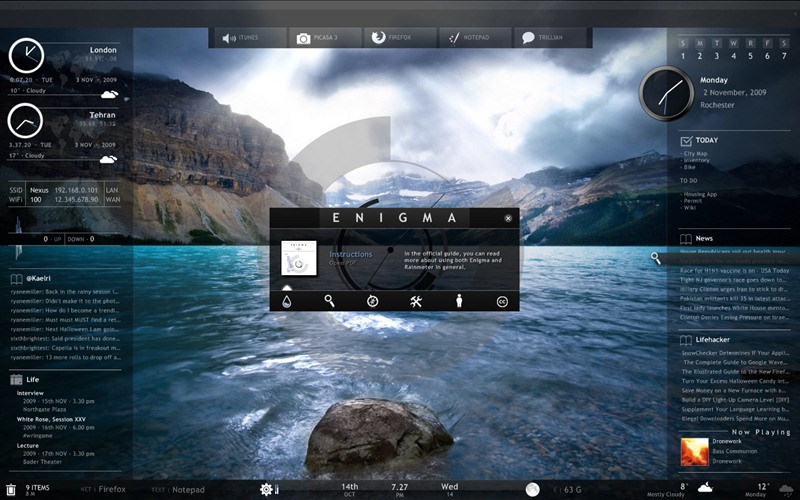
Rainmeter displays customizable skins, like memory and battery power, RSS feeds and weather forecasts, right on your desktop. Many skins are even functional: they can record your notes and to-do lists, launch your favorite applications, and control your media player – all in a clean, unobtrusive interface that you can rearrange and customize to your liking. Rainmeter is at once an application and a toolkit. You are only limited by your imagination and creativity.
7. MyFolders
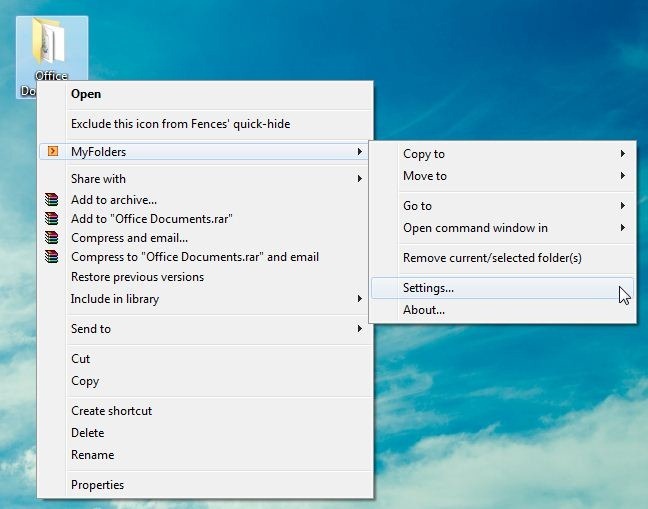
The MyFolders Windows Explorer Shell Extension saves your time by placing any folder at your fingertips. Copy/Move files or Open any folder with just a few clicks! You can get a MyFolders option listed on a right-click menu with several convenient utilities to access folders. You will get options like the Copy to, Move to, Go to, Open command window.
8. Fences
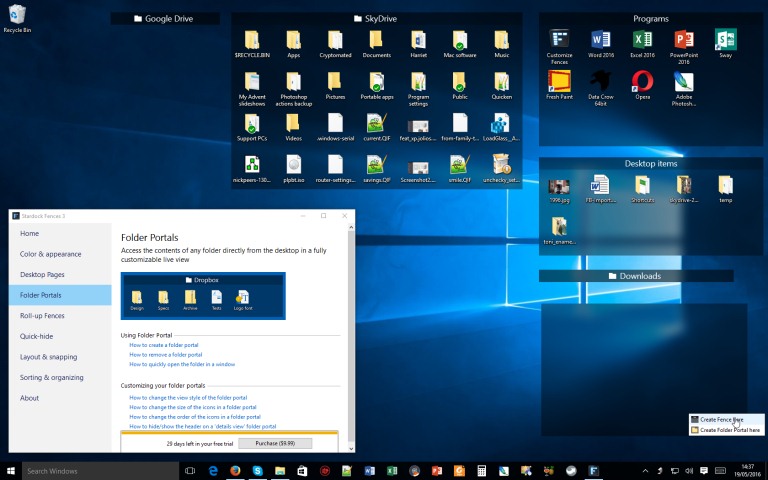
Fences are very similar to the Android group feature. As we know, Android does provide a feature to group the apps and folders on the home screen for easy access. Fences act the same, it helps you create groups of apps and folders on your computer. You can even customize your created groups on your desktop with different icons. This app is great for those who have lots of software installed on their computers.
9. Aero Glass
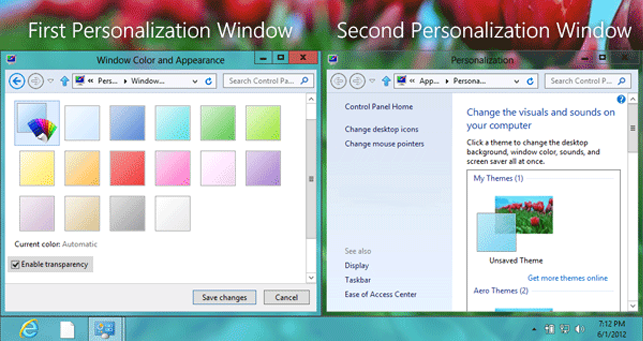
Well, if you want to enjoy the Aero Glass transparency feature that is available on Windows 7, 8 and 8.1, then you will love this tool. Aero glass transparency feature is missing in Windows 10. So, this tool will help you bring back the Aero glass to the window border with blur effects.
10. Login Screen Background Changer
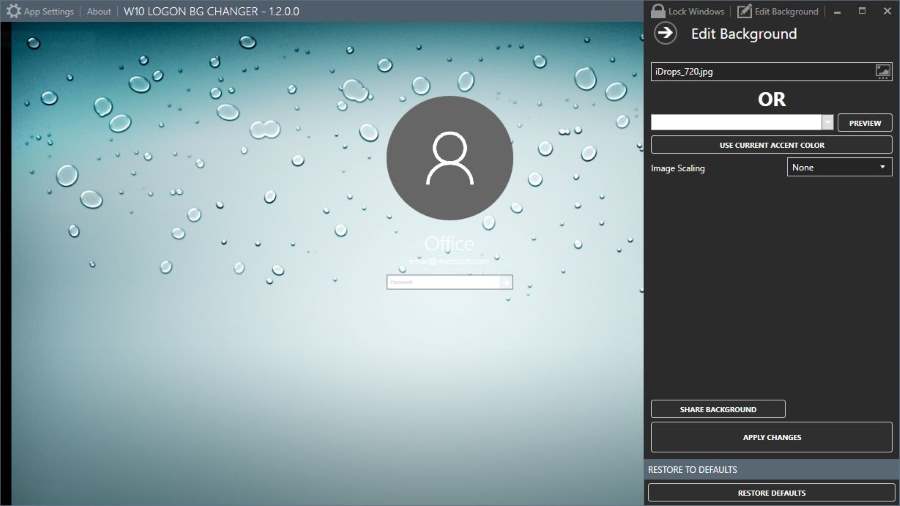
Well, if you don’t like the default desktop wallpaper as login screen background then you will love this tool. This tool lets you set a custom image of your own as a login screen background. This tool is free of cost and will help you to replace the default login screen background image with a solid color.
11. CustomizerGod
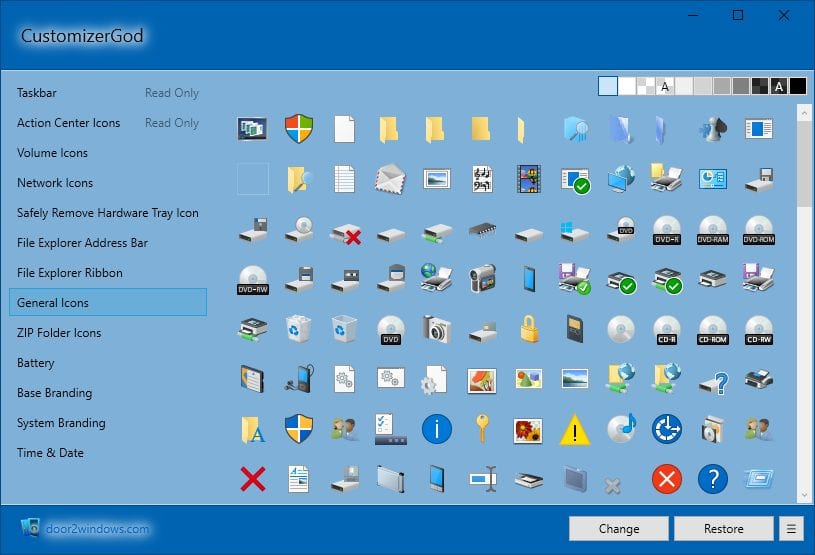
This is an awesome tool that lets you customize your Windows 10 desktop. You can customize almost everything using this mini too. You can make your start button look different. You can use this tool for editing any image resources
12. TileCreator
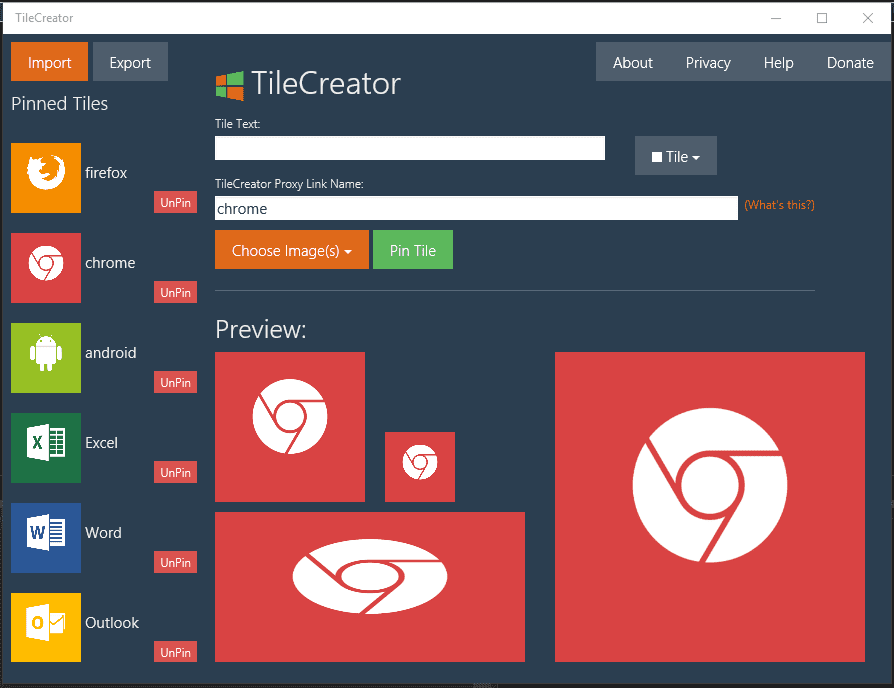
This is an awesome tool that you can download from the Microsoft store. This tool will be very helpful if you want to change the visual appearance of tiles on the Start Menu. This tool will let you customize the text, background color and image of any app’s tile.
13. Folder Marker
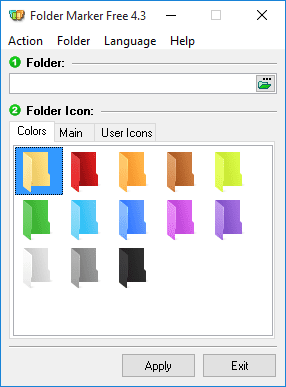
This tool lets you add colors to your windows folder. Users just need to install the tool and then right-click on any folder to make their icons look beautiful. This tool can assign icons to a folder from file formats ICO, ICL, EXE, DLL, CPL or BMP.
14. Rocket Dock
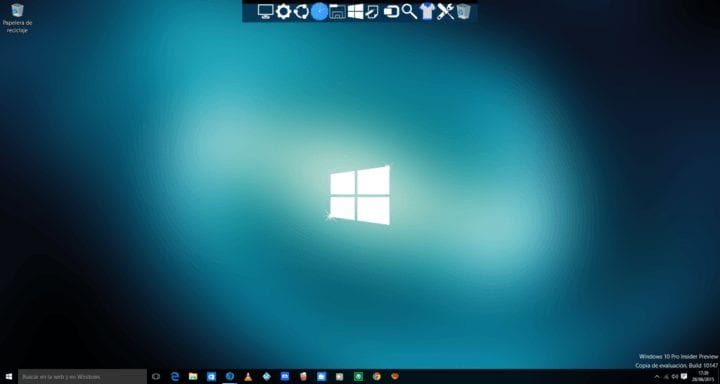
This is actually a launcher. This tool lets you pin shortcuts anywhere on the desktop. You can add shortcuts for apps, programs and even folders in a small-sized dock using the Rocket dock tool.
15. Start10
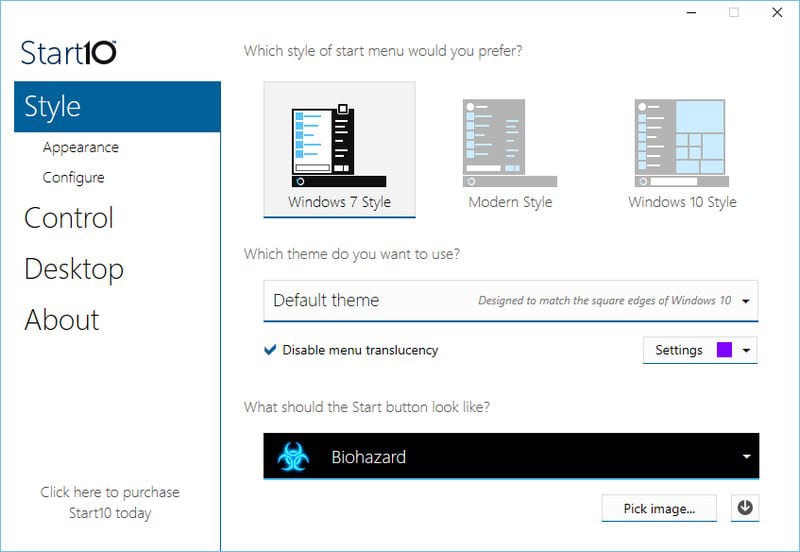
If you want to customize your Windows 10 start menu then Start10 will be a perfect choice. This tool changes the look of your default Start menu and lets you choose your background and color and use different start menu themes.
 FREE OTT CONTENT