
Nearly everybody loves taking pictures and this one of the most reason why people purchase a mobile phone, some people buy phones just because of the camera. This mobile phone users who buy high tech phones are mostly females. However, if you one of those mobile users who purchase high-quality phone because of the camera and want to compress your picture without losing quality then you are in the right place. There are some high spec mobile phones that take image in high quality this type of quality consume huge amount of space on your device, have you ever check your android phone storage and sees that the space is low without your knowing what you have installed or copy in it, this problem is your image quality which is training your storage, lets look how to fix this
How To Compress Images In Android Without Losing Quality
these methods are very easy to and simple to follow, to do this we are going to need these below apps, and the best thing is that none of this apps requires root permission which means you can run it rooted and none rooted device
How To Compress Images In Android Without Losing Quality
these methods are very easy to and simple to follow, to do this we are going to need these below apps, and the best thing is that none of this apps requires root permission which means you can run it rooted and none rooted device
Steps To Compress Image File Without Losing Quality
Step 1. First of all download and install the app Photo Compress on your android device.
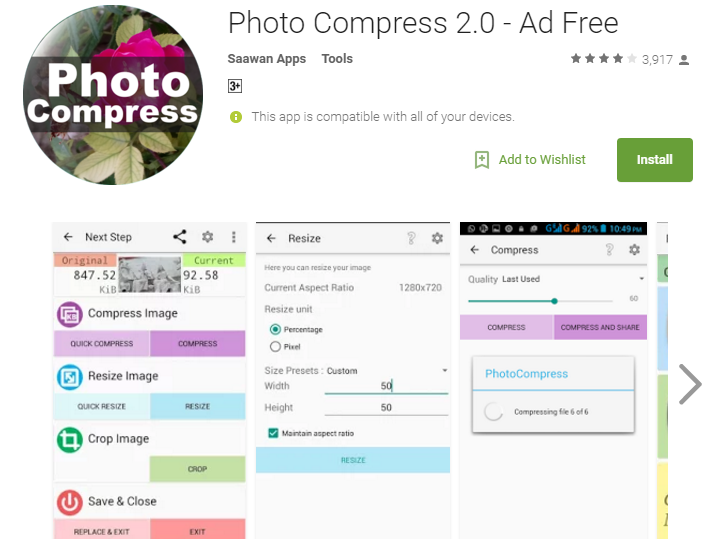
Step 2. Now launch the app and there you will see options Pick the image from the gallery, capture, and multiple compresses. Now you can choose any random image from the gallery to compress it. Choose the multiple options to compress 2 or more or compress all the images in a gallery to save lots of data of your android device.
Step 3. Now select the Compression action at the next screen.
Step 4. Now select the quality that you want to set to the image you are compressing.
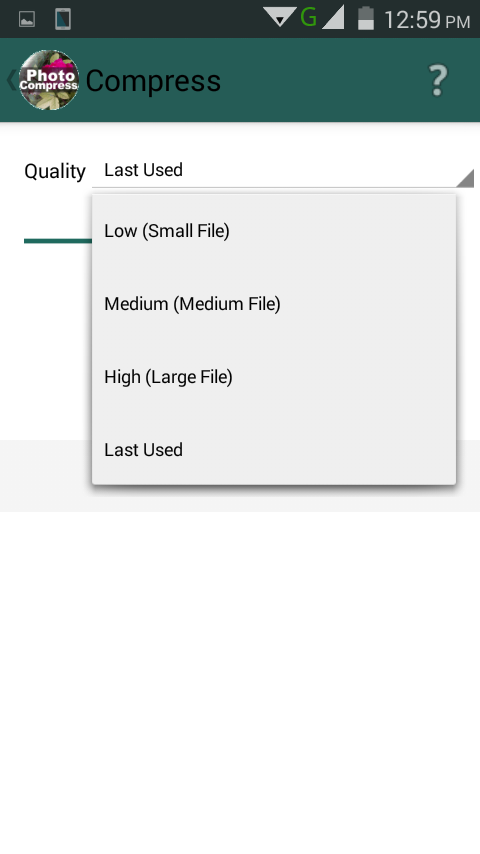
That’s it! you are done, now your images get compressed and this going to save lots of memory.
Using Compress Image
Do you have low storage and don’t want to delete any of your files or pictures in your mobile device then this app is for you it can compress all your pictures without losing it quality, follow the below steps on how to use this app.
Step 1. First of all, you need to download and install the compress image on your Android smartphone.
Step 2. Now launch the app and you will see the screen like below. You need to tap on the gallery icon to start selecting your photos.
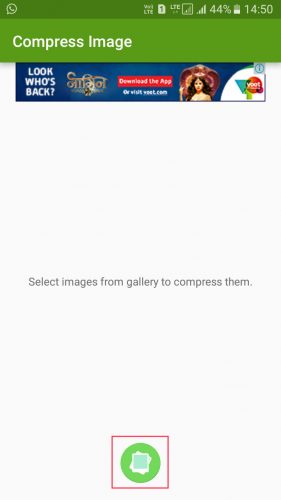
Step 3. Now in the next step, you need to select the images that you want to compress.
Step 4. Now simply tap on the tick button and then wait for the app to compress the selected images. Once compressed you will see the screen like below.
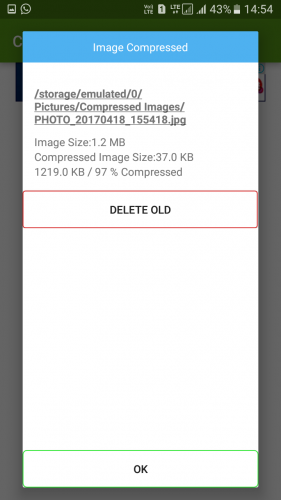
That’s it! you are done. This is how you can compress images in your Android without losing quality.
Using Cram

Cram is an image compressor app, to shrink pictures on your Android device by 60% or more—without compromising the actual display/print dimensions, resolution, or beauty of your photo files. However, it only gives you 300 photos free over the lifetime of the app later you have to pay $1.99 to remove the limitation.
Step 1. First of all, download CRAM on your Android smartphone from the Google Play Store. You can get the download link from below.
Step 2. Now, open the app and grant the permission to access your smartphone’s storage.
Step 3. Now, you will see an interface like below. Here you need to tap on the ‘Cram it!’
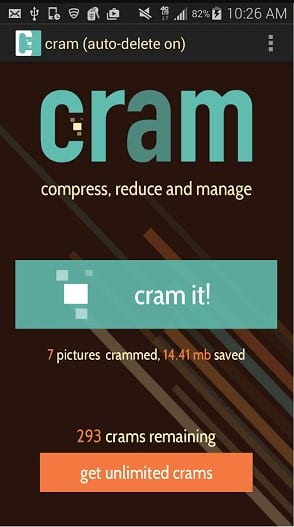
Step 4. In the next step, you will be asked to select the photos to reduce the size. Simply select the photos and tap on ‘Cram it!’
Step 5. Wait until the app compresses your images. Once done, you will get a popup which will show you the reduced size of the images.
 FREE OTT CONTENT